From the category archives:
Software
Random Updates, Apps, And Ramblings
Thought I’d jot out a few notes on new products, before they slipped my mind:
IWantSandy is a niftyneato virtual reminder/personal assistant application.
Why mention Yet another Web2.0 reminder/task list program? ’cause this one is *different*. Instead of an application, you’re working with “Sandy”, your virtual assistant. And Sandy speaks your language, understanding your natural conversational tone. Send her an email asking her to “remind me to pick up the dry cleaning on Thursday” or “remember that the boss is allergic to perfumes”, and Sandy will she’ll sort the info into the right category, add it to a to-do list, set appointments, confirm it, and send you (and your contacts) a reminder according to your preferences.
This might be the organizational web-app I wind up actually using. Visit Sandy Now
___________________________
Mind Tweakingly Cool Stuff.
You may have noticed the new blog header (if not, look UP). There will be more gradual improvements ’round here as time goes on. I’m not planning a complete redesign right now, just a few fix-r-up projects.
You can also look forward to a new Mindtweaks Flash toy (silly fun), more info on the online courses I have in development, and the end (I promise) of the Enlightenment-Neurogenesis/Eckhart-Oprah series.
___________________________
inpowr:
Personal development goal setter, tracker, planner.
Most goal trackers are very concrete, left brained sorts of things that suit linear/business goals. But Inpowr centers around how you feel. It starts off with questions to help you evaluate your satisfaction in several areas of life, then helps you set, follow and track goals. It’s still in pretty early beta, but it looks interesting. Check it out at inpowr.com
___________________________
Brain Rules:
Applied brain-science, made readable.
My copy of the book/DVD arrived this weekend, and I’m even more impressed than I’d expected.
This is the book I’d have written if I had the science chops, more insight and a better sense of humor. Lots more info is coming soon, but soon, I’m too busy reading it to write about it just now. While I’m finishing that, go check out the videos available at the Brain Rules website.
So there you have it.
Random Tweaky Goodness.
{ 0 comments }
3 Unexpected Things I’ve Learned Playing Lumosity
As regular readers know, lately I’ve embarked on a personal “fix my mind” regime. I’m only a few weeks into it, and there’s a definite perceived improvement in my alertness, focus, and concentration. The brain-fitness program Lumosity is most likely the major contributor.
But outside of the expected improvements in cognitive function, I’ve learned a few interesting tidbits from the experience. [click to continue...]
{ 0 comments }
Attention (former) Lumosity Beta Testers!
If you signed up for Lumosity’s free beta test program I posted about a while back, be sure check your Lumosity account for a *very* significant discount on their program.
If you didn’t get in on their beta test, no worries. They still offer a Free 2 week trial period, and after which you can choose between their quite reasonable $9.95 monthly subscription, or purchase a year’s membership for $79.95.
Oh looky.
It’s a post under 100 words. Here on MindTweaks. Wow.
How did THAT happen???
I must be sick.
Quick. We need a quotation.
___________________________________
MindTWEAK: We never say so much as when we do not quite know what we want to say. We need few words when we have something to say, but all the words in the dictionary will not suffice when we have nothing to say and want desparately to say it. - Eric Hoffer
___________________________________
(Whew. That’s better. I was worried there for a minute. I was afraid I was getting.. you know.. concise or something!)
{ 1 comment }
Brain Fitness Programs: My Top 3 Picks
By now, you’ve probably heard of the various mind-games marketed as brain-building, memory-enhancing, reflex-retaining, age-defying wonders. They’re all based on the neuroscientific discoveries that the even adult and aging brains can develop new neural pathways when challenged and exercised.
Suduko puzzles, crosswords, even jigsaw puzzles are being promoted as brain-building exercises. Nintendo is one of the major players, with several brain game releases on their systems already huge hits in the US, and even bigger hits in Japan. Any number of companies are climbing on the bandwagon, slapping “brain training” labels on their existing games.
But among the marketing ploys are some solid, science based programs that target very specific types of memory and cognitive skills. I took the time to wander through some of them today, and decided to do mini reviews of 3 of them. So here goes:
____________________________________
The Brain Fitness Program from Posit Science uses six games focused on sounds to improve listening, processing and memory skills. The stress on auditory function seems well suited to the speech processing challenges many people have with age… not all of which are related to physical hearing loss.
The website is informative and convincing, the blog often updated with interesting neuroscience articles, and the demos were challenging. I left the site with the feeling that I really needed this program; for some reason the auditory nature of the exercises really seemed key to me.
Sadly, with prices in the $400-600 range it’s too expensive for this bag-lady to spring for. Still, I’m likely to mention it to members of my family who have difficulty with listening comprehension, though not necessarily hearing loss. Check out a flash videotour of the program, or test out 3 of the games to see if you click with the system.
____________________________________
Lumosity I’ve already mentioned the folks at Lumosity a few times on MindTweaks, and I admit to a bias towards them. I just like the site, what can I say? Still, they stack up well against the other offerings.
The major difference is that Lumosity is a subscription based program, played and hosted on their servers, rather than your PC. This means you’ll need an internet connection in order to play, but it also means you can play from any location, and are not limited to one PC system.
The games here are more visual than the Posit Science exercises. They are more friendly and whimsical in feel, more “game” like, while Posit Science feels more clinical and research oriented, more of an “exercise” approach. Both presentations are useful, so it’s just a matter of preference.
The Lumosity website is a friendly happy sort of place, the blog always makes me feel welcome, and.. oh yeah did I mention I was biased? Oops. (Hey, at least I’m not an affiliate yet. That should count for something! Ok, ok, they dont have their affiliate program up and running yet, or I would be an affiliate. You made your point.)
Price-wise, they’ve got Posit Science beat hands down. At $9.95 a month, or $79.95 for a year, it’s more affordable, and far less intimidating to get started with. You can get a peek at a few of the games by testing your “LumosIQ” Plus, there’s a free 2 week trial so you can check out the features.
____________________________________
MindFit, by Sharper Brains, is another viable option. The demos were challenging, but not too challenging. (Ok, I’m lying. I’m having a bad-brain night, and the The Picasso demo threw me for a loop this go ’round!)
The *feel* of Mindfit falls somewhere between the Posit Science program, and Lumosity…. friendlier than PS, more clinical in feel than Lumosity. The demo games are attractively designed and appealing, and seem to cover a broad range of cognitive skills.
The Mindfit program is intended to be practiced every day for 20 minutes, and it takes between 8 months to a year to complete the customized program the software creates for you. At $139, the software is only good for one user, but they do offer a multi user discount. You can check out their demo games here: Mindfit Demos.
____________________________________
Honestly, I like what I know about all three programs. Each has solid science behind them, each their own strengths, and each has a particular focus and appeal. Posit Science’s offering is the most expensive by far, but it’s also the most targeted of the three — and likely well worth it for people struggling with auditory comprehension and remembering verbal instructions.
I suggest you try the demos of all three, consider your budget, and go with the one which just seems more appealing to you. Each of the programs requires a significant time investment, so it’s important that you feel comfortable with the program.
As you explore, remember that while science has shown that the adult brain can continue to change adapt and grow in response to challenges and new experiences, no studies I’m aware of have proven that any of these game systems will specifically prevent dementia or Alzheimer’s — the jury is still out on that one.
What we do know is that the brain *does* benefit from mental as well as physical exercises, and that programs like the ones above have been shown to improve cognitive function. And no, you don’t need a dedicated program to train your mind, anymore than you need a gym membership and a personal trainer, to get into better physical shape… But it helps!
Oh, and if you were one of the folks who signed up for the Lumosity beta program I posted on a while back? Good news. Check your Lumosity account. The program has gone live - and beta testers are being offered a *very* significant discount. Yay us!
____________________________________
MindTweak: Use It or Lose It. Who knew that old cliche would turn out to be *so* literally true when it came to our minds?
____________________________________
{ 4 comments }
Update: Windows Live Writer Image Upload Issues
For those of you following the Live Writer/Wordpress image upload saga….
My inside sources (ooooh wow. I have inside sources. I’ll earn that geek-girl propeller beanie yet. Wait. What was I saying? Maybe I better start over. Sorry about that) Ahem.
Inside sources say that the tech folks over at Microsoft put their heads together with the tech folks over at Eighty-Out.com, and.. Tada!
They found the underlying problem between Wordpress and Windows Live Writer. It’s something about xmlpwhatever and image size and extra carriage returns and… ok, it went over my head.
The good news is they found the problem, and it will be fixed in the next release.
The bad news is you’re still stuck with the problem for now.
As for workarounds? Try these.
- Use WLW’s built in FTP upload function.
- Upload the images to your site using WordpPress’s built in image function, or an FTP program, then use WLW’s “Insert picture from the web” function.
- Upload the images to one of the photo sharing sites (Like Photobucket or Flickr) and use WLW’s “Insert picture from the web” function)
Meanwhile, we anxiously await the next release : )
- Fix For Problems between Windows Live Writer and Wordpress
- The Latest, Greatest Windows Live Writer: Beta 2
- Update: Windows Live Writer Image Upload Issues
{ 1 comment }
Lumosity’s Name-The-Game Contest & A Free CD From Centerpoint
Name That Flock!
A few weeks ago, I mentioned Lumosity’s online brain-training system. It’s still in beta, and it’s still free.. yay!
They’ve just added a new game that plays on the Flanker effect — your ability to tune out distracting/conflicting information that “flanks” the intended focus.
I think their temp name, “Meet the Flankers” is kind of cute, but they’re looking for something else, and they’re holding a contest for the name.
You may need to sign in to see the rules, but they’re pretty simple. Just email them your name suggestions. They’ll pick their top four favorites, then put it up to a vote. The winner gets a lifetime membership, and their chosen name on the game.
Fun, huh?
As an aside, I’m doing ok with the Lumosity games, but Monster garden gives me anxiety attacks. It’s not the monsters. It’s the radishes. I had a horrific encounter with a radish as a child. For the love of gawd, don’t serve me those horrid radish roses!
And In The Category of More-Free-Stuff:
Centerpoint, the well-known-if-somewhat-pricey brain-entrainment company, is offering to send you a free Holosync demo CD. I haven’t ordered mine yet, so I can’t tell you much about it, but hey!It’s free, it’s entrainment, and the company is well known, so I trust that they haven’t buried any sort sort of hypnotic suggestion that alien-octopus are going to take over my medulla oblongata. If you order it, let me know what you think.
This demo tip was courtesy of Bruce Eisner’s Mindware Forum - his blog has pointed me towards a lot of cool stuff over the years, and I think he’s a part of their affiliate system, so if you’re feeling supportive, you might go over there and use his link to order your demo.
{ 3 comments }
Lumosity: Beta Train Your Brain… for free!
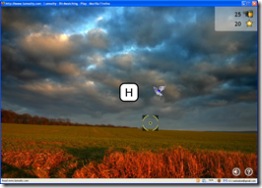 There’s some pretty awesome applied neuroscience going on out there, stuff that has turned the accepted standards on their heads.
It turns out that brain function, development and performance is *not* fixed in adults. It’s called neuroplasticity, and it means.. well, it means a lot of things, but my point here is simple: keeping an active mind as we age can keep us sharp, and even make us sharper.
A new self-improvement industry is cropping up in response to these discoveries. Aimed largely at the aging Boomer generation in America, but already hugely popular in Japan, brain-training software and games are turning up everywhere.
One of the latest is an online offering from Lumosity, and unlike some of the other mind-games sets I’ve looked into, this one seems to have actual scientific results behind it.
“In a randomized and controlled study, the Lumosity program
was shown to significantly improve memory and attention.
This research was presented at the Society for Neuroscience
Conference in 2006 and at the Bay Area Neuroscience Gathering 2007.” (from the lumosity website)
Lumosity is fun, challenging, and even better? You can play the games for free while the program is in beta. Since these types of programs are typically on the expensive side, that’s pretty cool.
So in the words of TechCrunch?
{ 3 comments }
The Latest, Greatest Windows Live Writer: Beta 2
Just when folks were starting to think Microsoft had stopped development of WLW, Tada! Along comes the Beta 2 version. Among the improvements?
- A snazzier interface: Oooh fades! Color choices! (I’m sooo all about the eye candy)
- Improved linkage: You can easily link to previous posts
- Better image handling: no more funky file names.
- The much-missed MORE tag: It’s called split-post here, but no matter. It works.
- Page authoring: WP users can create/edit pages from within WLW
- Inline spell check: No more clicking a button, it points my errors out as I type them.
- Tables! For years, people have told me to stop coding with tables, and they make it this easy?
And of course my favorite feature is still there: WLW’s ability to show me the post in the actual blog layout, with the CSS styles applied.
I’m liking it. Can you tell?
The new release solves my remaining image upload problems (to WP blogs hosted on my own machine) It solved Soulhuntre’s issues as well, though he notes that he had to delete his existing blog definition, and re-enter it before it worked quite right. Hopefully this release will resolve some of the other issues as well.
You can pick up the new version at http://writer.live.com/
There are new releases of of Windows Live Mail and Windows Live Messenger were also released, so if you use them, hop over and pick those up too.
MindTWEAK: Better tools make better brain!
(ok, not really.. but they do make things simpler.)
- Fix For Problems between Windows Live Writer and Wordpress
- The Latest, Greatest Windows Live Writer: Beta 2
- Update: Windows Live Writer Image Upload Issues
{ 3 comments }
ActiveWords: A Tweaking Cool Application!
ActiveWords isn’t exactly a tweak for your mind; It’s more a tweak for your computer’s mind. It’s a bit difficult to explain, but easy to use, so bear with me as I stumble through a description.
ActiveWords runs quietly in the background via a small toolbar that sits on your desktop, which can be set as hidden. Once installed, it becomes a .. well… hmm… a shortcuts/customkeys /text replacement application on steroids.
Here’s some examples of what it can do:
- When I type the word WriteNow, my favorite word processor pops up.
- When I type in MT admin, my browser opens to the MindTWEAK Admin page.
- If I type in FullName, my full name appears in the document I’m working on.
- If I type in “don’t” (one of my most common errors) ActiveWords will correct the spelling to “don’t”, right then and there.
My cursor can be ANYWHERE on the screen when I type these things. It doesn’t matter. I can set it to react to the words automatically, or to require a trigger/confirmation key.
I’ve only had ActiveWords installed for 18 hours, and already I’m getting addicted. It’s surprisingly intuitive, and the program automatically detects my commonly used programs, and asks if I’d like to add active words for them.
There are many more levels of functionality to AW that I’m still discovering, including some free add-ons available on their website
AW offers a generous trial period of 60 days, so you’ll have plenty of time to decide that it’s indispensable before forking over the 49.95 license fee. So go download it now, watch a few of the tutorials, and be happy.
(Thanks to my friend at GhostDogAlpha for pointing this out to me.)
MindTWEAK: It’s timesaving, productivity-increasing, shortcut-producing, generally-cool stuff, Maynard.
{ 5 comments }
Fix For Problems between Windows Live Writer and Wordpress
UPDATE 2: WLW Image Issue Update Workarounds for large image problems
UPDATE 1: WLW version Beta 2 Solves several issues.
There have been reports of intermittent problems between MS Windows Live Writer and WordPress installations for a while. I’d been glitch free until sometime last week, when the problems hit me out of the blue. After a lot of fussing, an upgrade and even more fussing, I’ve found the problem and the solution. Yay for geek-girl!First The Fix: 1. Remove any trailing spaces in the xmlrpc.php file.2. Be happy.Now The Explanation:The Problem: The first hint of trouble is usually errors returned from WLW image publishing features. Next, publishing posts even without images returns errors. Then nothing works anymore - It reached a point that couldn’t edit the settings for the web-log, couldn’t retrieve old posts, etc. [click to continue...]
- Fix For Problems between Windows Live Writer and Wordpress
- The Latest, Greatest Windows Live Writer: Beta 2
- Update: Windows Live Writer Image Upload Issues
{ 23 comments }